LCT-1000 Allison - Automatic Transmission
Transmission Mount Replacement
Removal Procedure
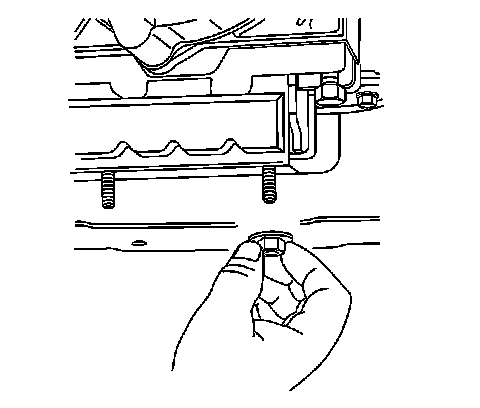
1. Raise and support the vehicle. Refer to Lifting and Jacking the Vehicle .
2. Support the transmission with a transmission jack.
3. Remove the transmission mount to the transmission support retaining nut or nuts.
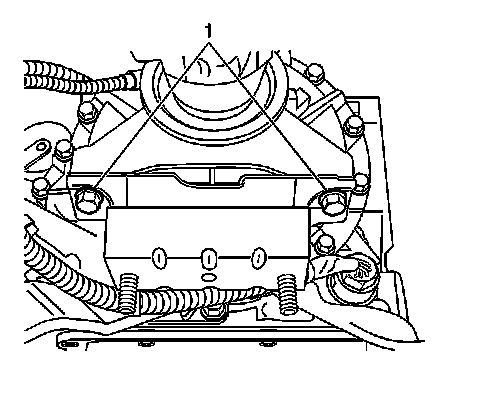
4. Raise the transmission to take the weight off of the mount.
5. Remove the transmission mount to the transmission or transfer case adapter mounting bolts (1).
6. Raise the transmission just enough to remove the transmission mount.
7. Remove the transmission mount from the vehicle.
Installation Procedure
1. Install the transmission mount to the vehicle.
Notice: Refer to Fastener Notice .
2. Install the transmission mount to the transmission or transfer case adapter mounting bolts (1).
Tighten the bolts to 50 N.m (37 lb ft).
3. Lower the transmission.
4. Install the transmission mount to the transmission support retaining nut or nuts.
Tighten the nut or nuts to 50 N.m (37 lb ft).
5. Remove the transmission jack.
6. Lower the vehicle.